PlanSmart reads the plan set, takes off the work, prices it from your own items, and carries the job from proposal to the last progress invoice - in QuickBooks Online, exactly. One job record, from the first sheet to the final payment.
Most estimating tools stop at the number. PlanSmart keeps going - the takeoff becomes the estimate, the estimate becomes the schedule of values, and the schedule is what you bill against until the job is closed.
PlanSmart draws what it counted - on the engineer's sheets, as editable objects, with an id on every piece. Your field crew and your client see exactly what was bid.
Concrete, rebar, forms, framing and steel, in one model built from the takeoff. Every item carries its card - a wall shows its volume, heights, thickness and tie count; a bar shows its size and length; a form panel says what it is.
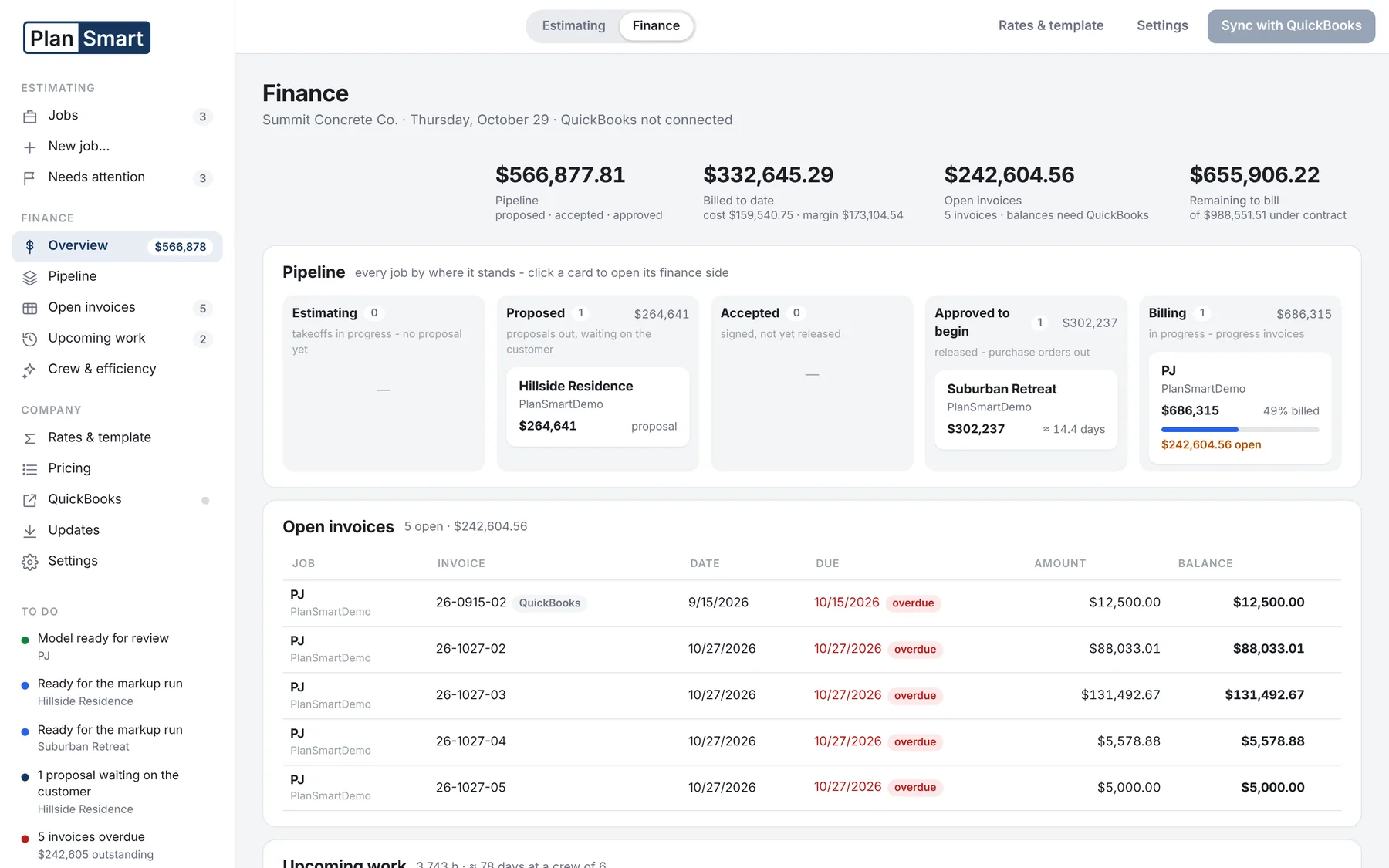
Flip the switch from Estimating to Finance and the same job carries on: the schedule of values, the proposal, change orders, progress invoices, purchase orders - and the company view across every job.
The pipeline board puts each job in its stage - estimating, proposed, accepted, approved to begin, billing - with its contract, its progress and its open balance. Below it: the open invoices, the upcoming work in crew hours and days, and how the crews are running against the estimate.
Progress invoices list every line of the schedule with contract, previously billed, this invoice and remaining - type dollars or a percent, or set a whole group to 50%. Change orders become their own lines on the schedule, so the contract sum to date is always original plus net changes and the original values never move.
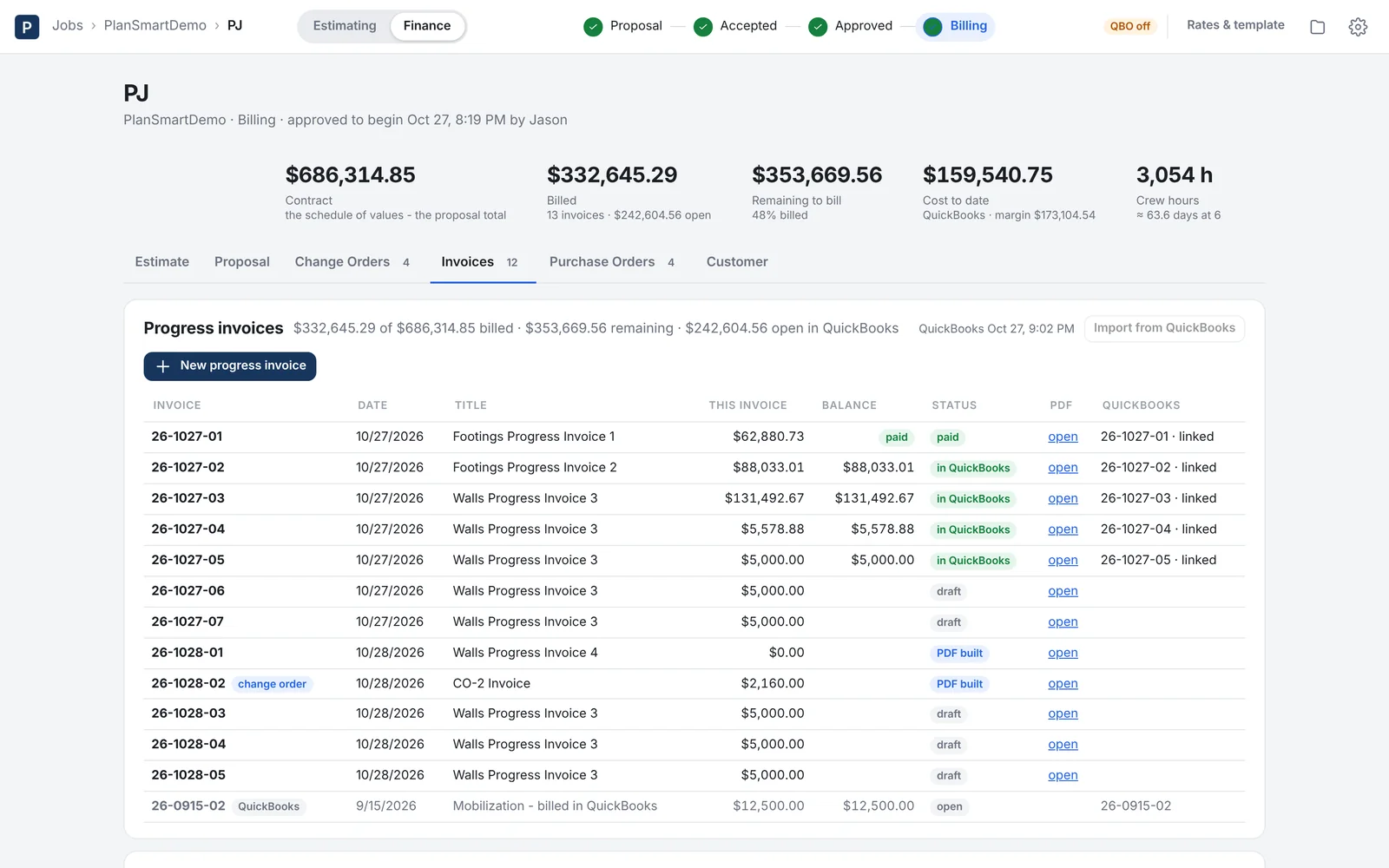
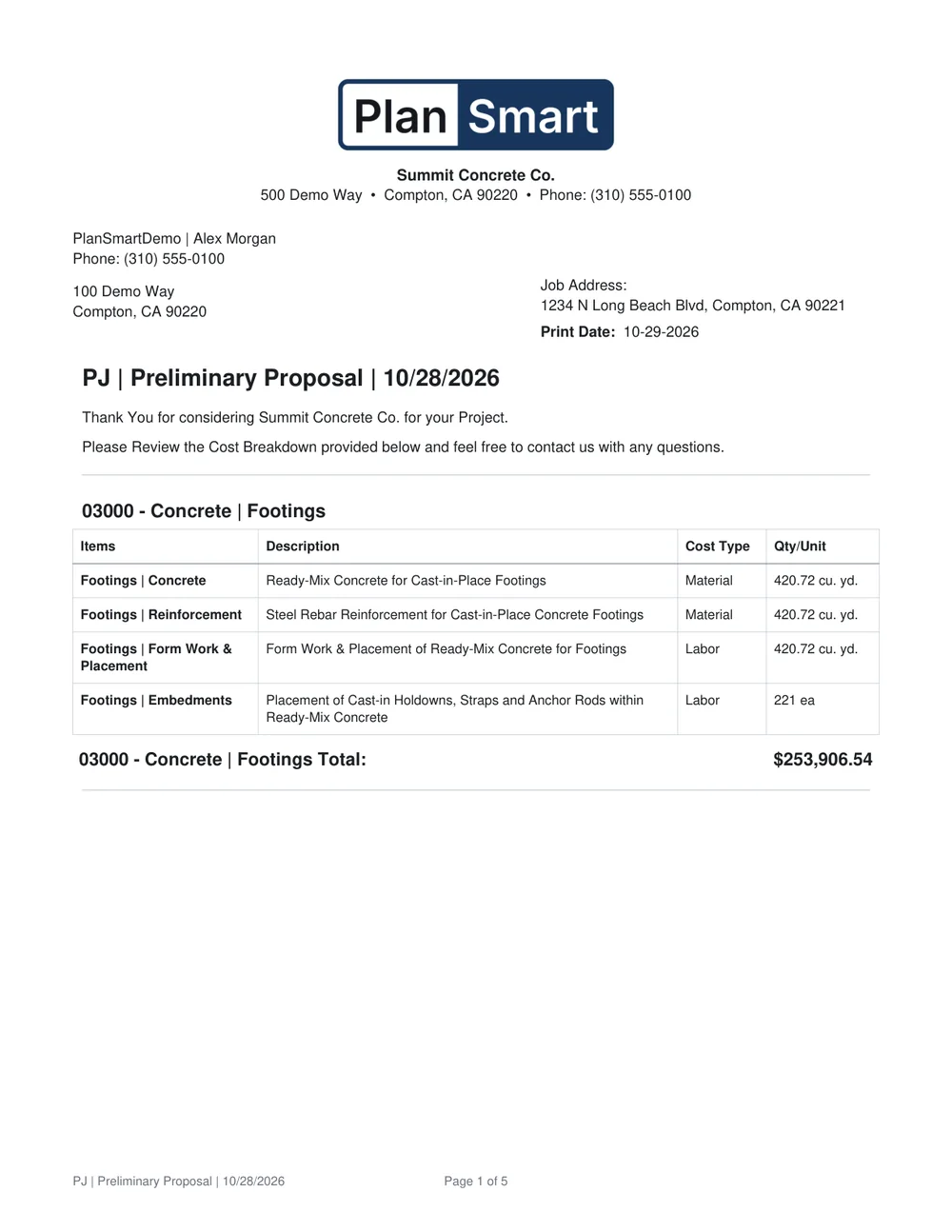
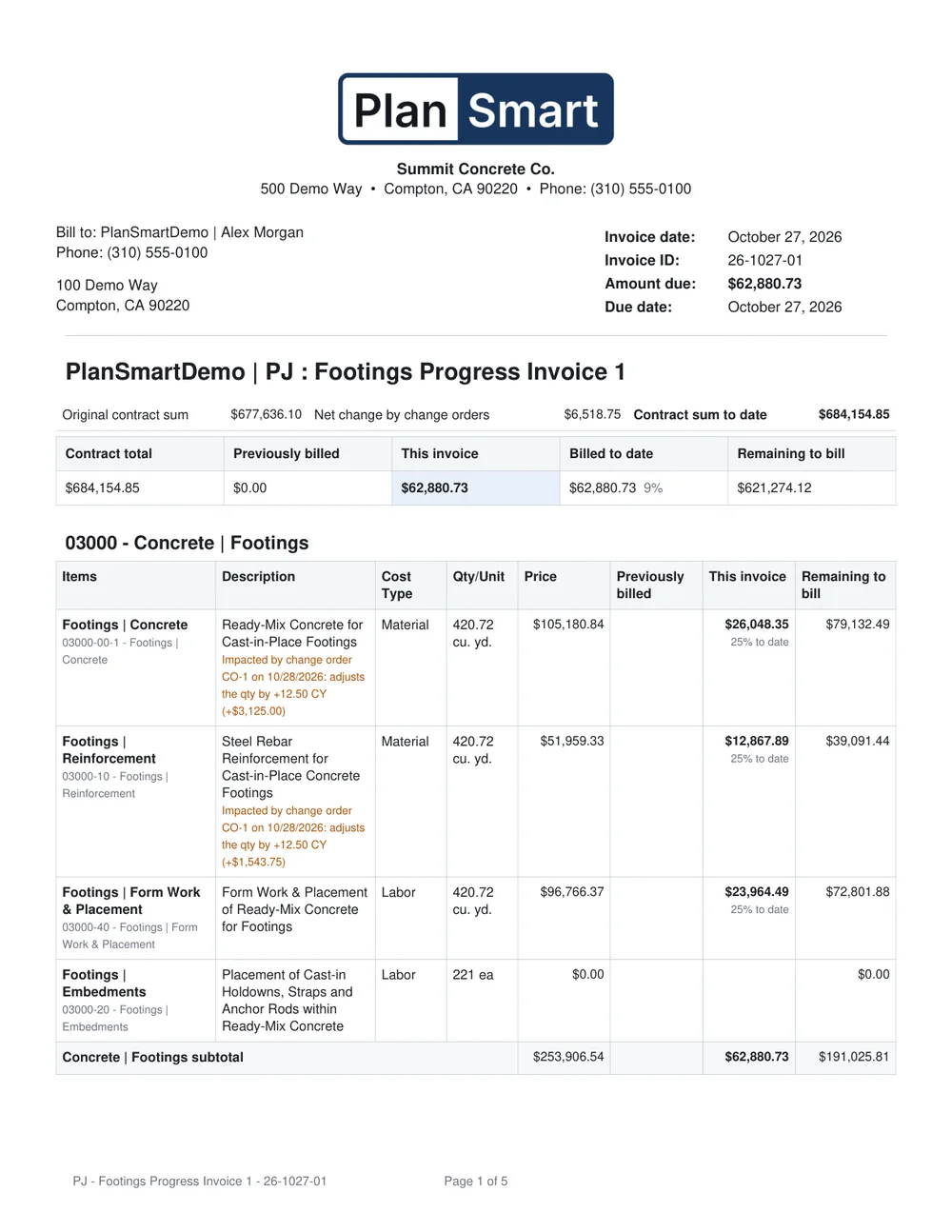
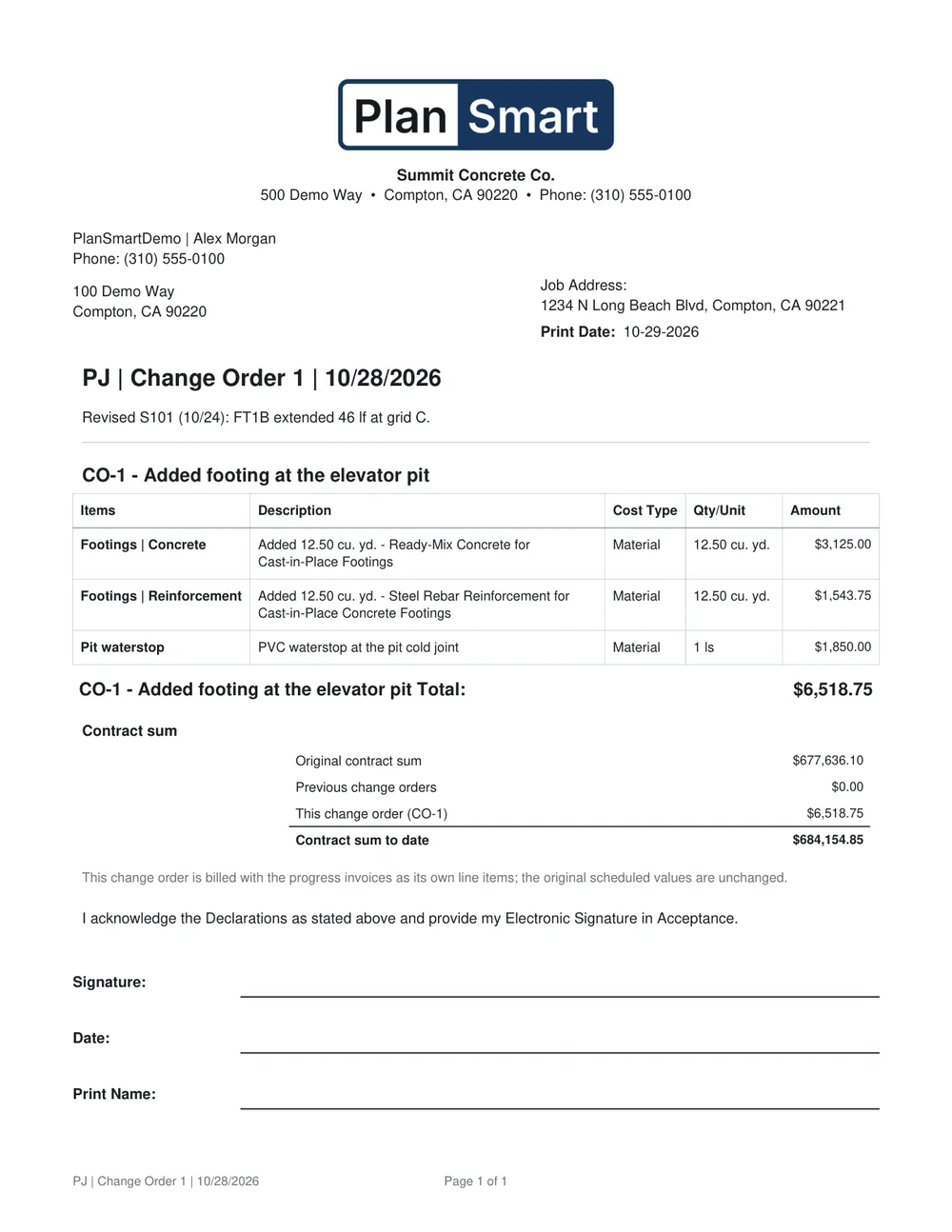
PlanSmart creates the customer, the project, the estimate, the invoices and the purchase orders in your QuickBooks Online company exactly as you see them here - and brings back what QuickBooks knows: balances, payments, job cost to date and the hours clocked to the job.
The estimate is priced from your own QuickBooks products and services list. Push a new price list and every new estimate follows it.
Invoices link to the estimate's lines in QuickBooks, so QuickBooks sees the same schedule of values you do.
The job's profit and loss, the open balances and the time clocked come back to the job and to the Finance home - margin and efficiency, job by job.
Each trade is a plug-in with its own reader, its own customs and its own books, sharing one job record. Concrete is the foundation every other trade reads; buy the trades you do.
Footings, walls, slabs, holdowns, rebar, forms - the record every other trade reads.
AvailableStrip, mass excavation to subgrade, trenches, backfill, export and import from the grading plan.
AvailableJoists, rafters, beams, headers, posts, stud walls and trusses by level, kind and size.
Early accessColumns, beams and deck by mark with nominal weights - and the bearing check against the concrete under them.
Early accessPlanSmart is not a cloud service. It runs on your own computers and keeps every file - plans, takeoffs, estimates, proposals, invoices - in the folders your team already shares. There is no PlanSmart server and no PlanSmart account; the only thing that leaves your computer is what you push to QuickBooks.
Concrete on its own, any trade on its own, or the whole suite - with the finance side and the QuickBooks connection included. We are onboarding the first companies now; ask us for pricing and a walkthrough on your own plans.
Send us a plan set and we will walk you through the takeoff, the proposal and the first progress invoice - your job, your numbers.
Request a demo [email protected]